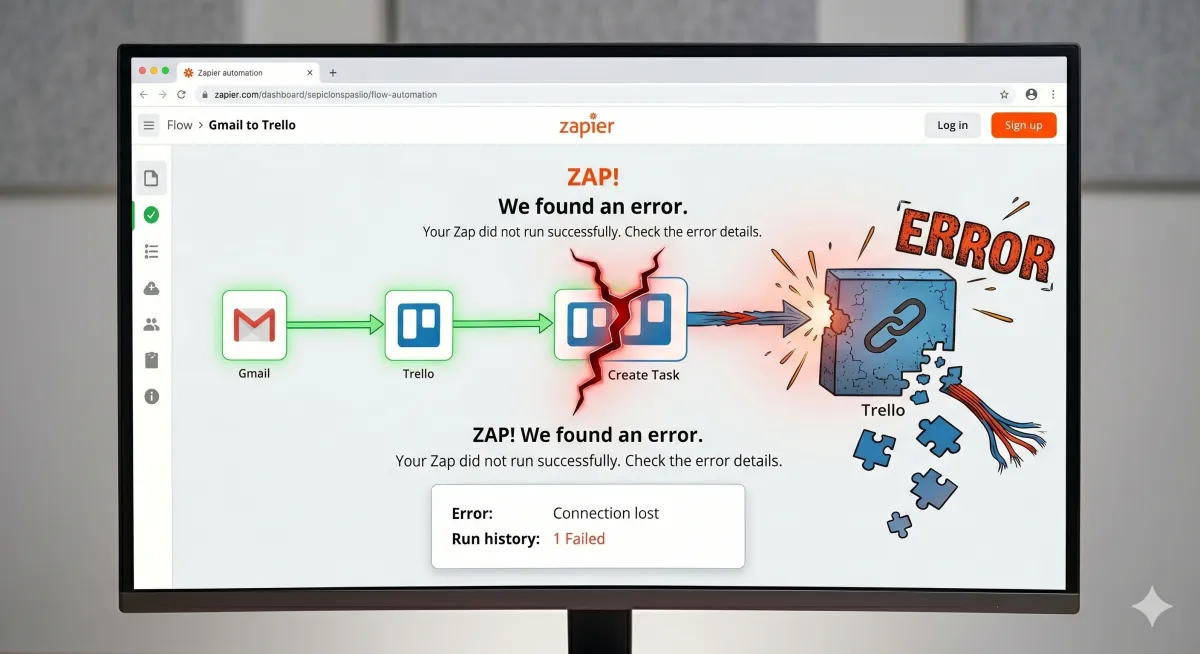
Why Do Most Small Business Automations Break Within Six Months?
The five failure patterns nobody warns you about before you sign the contract.
You built the automation. Or someone built it for you. The first two months felt like the future. Leads routed automatically, follow-ups fired on time, your CRM stopped collecting dust. Then something shifted. A form changed. An API updated. The person who understood the system moved on. Now the whole thing runs on duct tape and hope.
The short answer: Most small business automations fail not because the technology breaks, but because nobody planned for maintenance, staff changes, platform updates, or the slow accumulation of bad data. The businesses that avoid this treat automation as infrastructure, not a one-time project.
Why Do Small Business Automations Fail So Often?
The failure rate is high because most automations are sold as products and built as projects, when they should be treated as infrastructure. Industry data suggests that roughly half of automated workflows require significant rework within their first year of deployment. For small businesses with limited technical staff, the number is likely higher.
The root cause is a mismatch between how automation is sold and how it actually works. Vendors and freelancers sell the build. They rarely sell the maintenance. The small business owner signs off on a working system, the builder moves on, and six months later something changes that nobody anticipated.
This is not a technology problem. The tools work. GoHighLevel works. Zapier works. Make.com works. The problem is that a working system is not the same as a lasting system. Working systems need someone watching them, testing them, and updating them when the environment shifts. Most small businesses do not budget for that, and most builders do not mention it.
What Is the Most Common Reason Automations Break?
The most common reason is platform updates that nobody notices. Every SaaS tool your automation touches updates its interface, its API, or its feature set multiple times per year. When one of those updates changes how data flows between two connected tools, the automation breaks silently.
"Silently" is the operative word. Most automation failures do not produce error messages. They produce missing data, duplicated contacts, emails that stop sending, or leads that quietly stop routing. The business owner does not notice until a customer complains or a sale falls through.
This is why Bennin Systems builds monitoring into every system we deploy. When we built the client acquisition pipeline for Nancy Clark's real estate operation in Southwest Montana, the system includes status checks that flag when a workflow has not fired in its expected window. If the automated text response has not triggered in 48 hours, something is wrong, and we know before a lead goes cold.
The alternative (which is what most businesses run) is a system where the first sign of failure is a lost customer.
What Happens When the Person Who Built It Leaves?
This is the second most common failure pattern, and it is the most expensive to recover from. A freelancer or agency builds your automations. They understand the logic, the naming conventions, the workarounds, the reasons behind specific choices. Then they leave. Or you leave them.
Now you have a system nobody understands. The workflows have names like "New Lead v3 FINAL (copy)" and triggers that reference custom fields nobody remembers creating. When something breaks, you cannot fix it because you do not know what it was supposed to do in the first place.
This is not hypothetical. It is the state of most small business CRMs within 18 months of setup.
The solution is documentation, but almost nobody does it. When Bennin Systems builds a system, the deliverable includes a plain-English architecture document: what each workflow does, why it exists, what triggers it, and what to check if it stops working. That document is the difference between a system that survives a transition and a system that has to be rebuilt from scratch at $2,000 to $5,000 in labor.
Why Do "Set It and Forget It" Automations Stop Working?
"Set it and forget it" is the most dangerous phrase in marketing automation. It implies that a working system stays working indefinitely. It does not.
Three things change that most builders never mention:
Your business changes. You add a new service. You change your pricing. You hire someone. You stop offering something. Every change to your business potentially invalidates a piece of your automation. The welcome email still mentions a service you discontinued. The pipeline stage references a team member who left. The lead scoring model weights criteria that no longer matter.
Your platforms change. SaaS companies update constantly. Google changes its form behavior. GHL adds features that alter default settings. Your email provider changes its sending limits. Each update is individually minor. Cumulatively, they erode the system.
Your data degrades. Contact records accumulate duplicates. Tags lose meaning as naming conventions drift. Custom fields get repurposed without updating the workflows that reference them. After 12 months, the data your automations rely on no longer reflects reality.
The businesses that avoid this treat their automations like a truck they depend on: something that runs reliably but needs regular maintenance. A quarterly review of active workflows, data hygiene, and platform updates costs far less than a full rebuild.
What Role Does Bad Data Play in Automation Failure?
Bad data is the quiet killer of automation. An automation is only as good as the data flowing through it, and most small business data is worse than the owner thinks.
Common data problems that break automations:
Duplicate contacts. Two records for the same person means they get two welcome emails, two follow-up sequences, and two sales calls. It looks unprofessional and it inflates your metrics. CRMs that allow duplicate creation by default (which is most of them) create this problem from day one.
Inconsistent tagging. Tags like "hot lead," "Hot Lead," "HOT LEAD," and "hot-lead" are four different tags to your CRM but one tag to you. Every workflow that triggers on a tag now has a 75% miss rate.
Empty required fields. A workflow sends a personalized email using the contact's first name. Thirty percent of your contacts have no first name in the record. Those contacts receive an email that starts with "Hi ," and you never know unless you audit the sends.
When Bennin Systems deploys a system, data hygiene rules are built into the intake process: standardized naming, deduplication logic, required field validation at the form level. The automation does not just work on clean data. It keeps the data clean as new records enter.
When Should a Small Business NOT Automate?
Not every process should be automated. This is the honest part that most automation vendors skip, because it works against their sales pitch.
Do not automate if:
The process changes frequently. If you are still figuring out your sales process, automating it locks in a process that is not ready to be locked in. Automate after the process is stable, not before.
The volume does not justify the cost. If a workflow runs five times a month, the $150/month platform cost and the $2,000 build cost are not justified. A checklist and a calendar reminder will do the job.
The human interaction is the product. Some businesses sell the relationship. Automating the relationship defeats the purpose. A therapist should not automate client check-ins. A financial advisor should not automate portfolio reviews. Automate the administrative work around the relationship, not the relationship itself.
You cannot maintain it. If you have no budget for ongoing maintenance (even $200 to $500/month), the automation will degrade and eventually cost more to fix than it saved. Be honest about this before you build.
The businesses that get the most from automation are the ones that automate the right things: repetitive, high-volume, time-sensitive tasks where consistency matters more than personalization. Lead response, appointment reminders, follow-up sequences, data entry, status updates. Not everything. The right things.
What Does a System Built to Last Actually Look Like?
A system built to last has four characteristics that separate it from a system built to impress during a demo.
Documentation. Every workflow, every trigger, every custom field has a plain-English explanation. Someone who has never seen the system can understand what it does and why.
Monitoring. The system tells you when something is not working. Activity checks, error notifications, send-rate alerts. Not silence until something visibly breaks.
Data hygiene built in. Standardized naming, deduplication, required field validation. The system protects the quality of its own data instead of trusting users to enter everything perfectly.
Maintenance schedule. Quarterly reviews of active workflows, platform updates, data quality, and business alignment. This is not optional. This is infrastructure maintenance, the same way you change the oil in a truck you depend on.
This is what Bennin Systems builds. Not a flashy demo that works for 90 days. Infrastructure that works for years. When we deployed the AI chatbot Emma for Scotty's Oil, the deliverable was not just a chatbot. It was a system with defined escalation paths, monitoring, and a maintenance protocol. Emma has been running reliably because someone planned for her to keep running, not just to launch.
If you want a system built to that standard for your business, start at benninsystems.com.
Frequently Asked Questions
How long should a business automation last?
A well-built automation should run reliably for two to three years with quarterly maintenance. Without maintenance, most automations degrade within six to twelve months. The difference is not the technology. It is whether anyone is watching, testing, and updating the system as your business and platforms change around it.
What is the average cost of rebuilding a broken automation?
Rebuilding a broken CRM or automation system typically costs $2,000 to $5,000 in labor for a small business, depending on complexity. That does not include the lost revenue during the period when the system was broken and nobody noticed. For businesses running lead generation, the indirect cost of lost leads during a broken period often exceeds the rebuild cost itself.
Can I maintain my own automations after they are built?
Some business owners can, if the system is well-documented and they have the temperament for quarterly reviews. Most do not, for the same reason most people do not change their own oil. The skill is learnable, but the consistency is the hard part. A maintenance retainer ($200 to $500/month) is often cheaper than the cost of letting things drift.
What is the difference between a workflow and an automation?
A workflow is the logic: "when a new lead comes in, send a text, wait 24 hours, send an email, assign to pipeline." An automation is the technical execution of that logic inside a platform. The distinction matters because a broken automation might need a technical fix, but a broken workflow needs a strategic rethink. Most failures are workflow problems disguised as technical problems.
How do I know if my automation is about to break?
Warning signs include: declining open rates on automated emails, increasing duplicate contacts, workflows that have not been reviewed in more than 90 days, custom fields nobody can explain, and team members manually doing tasks the automation was supposed to handle. If you see two or more of these, your system is degrading.
Should I hire a freelancer or an agency to build automations?
Freelancers are often cheaper for the initial build ($500 to $2,000) but rarely offer ongoing maintenance. Agencies charge more ($3,000 to $10,000 and up) but may include maintenance in their retainer. The right choice depends on complexity: simple two-step automations are fine for freelancers. Multi-workflow systems with integrations need someone who will still be around in six months.
What tools are most likely to cause automation failures?
The tool itself rarely causes the failure. The failure comes from how tools are connected. Multi-tool stacks (CRM plus email platform plus form builder plus calendar plus payment processor) create more failure points than consolidated platforms. This is one reason Bennin Systems builds on GoHighLevel for most clients: fewer integration points means fewer places for things to break.
How often should business automations be reviewed?
Quarterly is the minimum for active automations. Each review should cover: are all workflows still firing, has the business changed in ways that affect the logic, has any connected platform updated, and is the data clean. Annual reviews are not frequent enough because platform updates and data degradation happen continuously.
About the Author
Stacy Bennin is the founder of Bennin Systems, an operational systems and AI automation consultancy based in Paradise Valley, Montana. She builds custom websites, automated client acquisition systems, brand identity, and operations workflows for small businesses, real estate professionals, and family operations. She is also a licensed Montana real estate broker affiliated with Legacy Lands Real Estate. Reach her at benninsystems.com.
